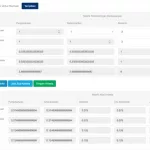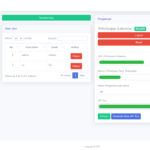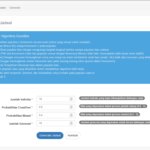



Contoh program permohonan penjaminan bank dan non bank dengan mengggunakan source code visual basic

Program ini bertujuan untuk menghasilkan laporan permohonan penjaminan bank dan non bank.

Spesifikasi
Jenis: Pemrograman database
Software requirement: Visual Basic 6, Crystal report 7, Ms. Access 97

File:
Entri Sektor
Entri Bank
Entri Analisis
Entri Nasabah
Entri Permohonan Pinjaman
Laporan Penjaminan Bank
Link download:
Indowebster: Contoh program permohonan penjaminan bank dan non

View full post on Riyuniza: Visual Basic Open Source

ATM Simulator in Microsoft Visual C#

ATM Simulator Version 1.0

Created by Izzat Zainol using Microsoft Visual C# 2008 Express Edition

Description:
This is a basic ATM simulation and it will give the idea on how transaction were made by a real ATM. It has a login page. An account number will substitute our ATM card in this situation. Once you are login, you will be presented a menu varies from check your balance, deposit, withdrawal and quick withdrawal.

This is a login page.
welcome-ss.png

Read the rest of this entry »

Recover Microsoft Office Passwords With Office Password Recovery

Are you a user of Microsoft Office? Have you ever forgotten a password protecting tomorrow’s presentation? You might be in trouble, as Microsoft does not provide an official way to recover data protected with a password that has been lost or forgotten. But don’t worry: chances are high that Office Password Recovery by Intelore.com will help you recover that password in an instant!

Office Password Recovery can recover many types of passwords in the blink of an eye. Microsoft Access passwords to open and user-level workgroup passwords, Excel workbook and spreadsheet protection, Outlook e-mail accounts, and shared protection passwords are always recovered in an instant regardless of their length and complexity. In addition, Office Password Recovery instantly removes formatting and editing restrictions, locked cell protection and permissions.

Office Password Recovery supports documents created by all products and all versions of the Microsoft Office family.

Security is a very important issue in modern organizations. They hire professional system administrators who in turn release policies on how long and complex employee’s passwords must be, and set requirements on regularly changing those long and complex passwords. This almost inevitably leads to the yellow stickers on the employee’s desks, with all the long and ‘secure’ passwords written down.

But what if that yellow sticker is lost?

With strong encryption and long and complex passwords, it can be virtually impossible to recover important data without special tools aimed at recovering passwords from the Microsoft Office documents. Microsoft officially denies providing the means even for system administrators to recover the documents that are rendered useless with the loss of a password.

Office Password Recovery will help recover these documents, even if strong encryption and long passwords were used.

And, what if you need that document right away, or at least as soon as possible? You might have tried another tool that offers to recover your Office passwords by enumerating all possible combinations of letters and numbers. This kind of password recovery is known as brute force. As you’ll quickly see, it will not provide a result if a password longer than a few characters was used.

Office Password Recovery offers smarter ways to recover passwords than just brute force, allowing you to easily create just about any kind of attack. It will try different combinations of dictionary words, including misspellings and phonetic errors, depending on your language and keyboard layout. It will analyze frequency characteristics of the text and adjust its efforts to minimize the number of possible password combinations and reduce the time required to find the right password.

Office Password Recovery gives you complete control over how and what password combinations are tried. If you even remotely remember at least part of the password, maybe even the fact that it had a number at the end, or that it was a specific length, or that it had a capital in the beginning, Office Password recovery will make use of that information and will find your password much faster than it would otherwise.

A free evaluation version of Office Password Recovery is available at: www.intelore.com.

Dmitry Rozenbaum is a computer science professional in the field of data protection and cryptoanalysis, a leading specialist, consultant and one of the founders of the INTELORE company.

Download Source Code Visual Basic Penjualan Pupuk

Kasus tentang penjualan memang selalu menjadi hal yang menarik untuk dibuatkan program. walaupun memiliki beberapa kemiripan, namun memiliki spesifikasi tertentu permasing-masing kasus. Dalam source code kali ini akan diberikan source code penjualan pupuk dengan menggunakan Visual Basic.
Source code ini meliputi input barang (pupuk), pelanggan, dan penjualan pupuk. Dalam program disediakan laporan untuk membuat bill / faktur penjualan pupuk. Salah satu yang menarik dari program ini adalah pemanfaatan gambar grafik untuk mempercantik form, dan juga menyediakan tambahan toolbar untuk pemanggilan menu dengan cepat
Spesifikasi

  • Jenis: Pemrograman database
  • Software requirement: Visual Basic 6, Crystal report 7, Ms. Access 97

File:

  • Entri pupuk
  • Entri pelanggan
  • Entri penjualan
  • Laporan penjualan
  • Laporan penjualan perbulan
  • Laporan faktur penjualan
  • Laporan pelanggan

Link download:

  1. Indowebster: Download source code visual basic penjualan pupuk
  2. Direct: Download source code visual basic penjualan pupuk

View full post on Riyuniza: Visual Basic Open Source

Menangkap tombol enter dengan Visual Basic

Dalam pembuatan program, user friendly merupakan syarat utama untuk keterpakaian program kita, dalam menggunakan sebuah aplikasi, biasanya untuk perpindahan antar isian (text box) pengguna yang awam lebih cenderung menggunakan tombol enter.

pada contoh disamping ada 3 buah isian text, untuk kode nasabah (txtKode), nama nasabah (txtNama), dan alamat (txtAlamat), biasanya setelah mengisi kode nasabah maka pengguna akan menekan tombol enter untuk pindah ke nama nasabah, setelah selesai dengan itu akan kembali menekan tombol enter untuk alamat nasabah. begitu seterusnya yang terjadi.

Sedangkan settingan default untuk visual basic perpindahan antar kontrol, dalam hal ini textbox dilakukan dengan menggunakan tombol tab, logikanya sekarang adalah bagaimana caranya, kalau user menekan tombol enter, yang dijalankan adalah tombol tab, bukan begitu?

Tab Index

Pertama yang harus kita set adalah property tab index, properti ini ada pada masing-masing control yang ada pada form. Tab index berfungsi untuk menentukan urutan-urutan penekanan tombol tab, jadi misalnya kita set nama nasabah dengan tabindex=2, sedangkan alamat dengan tabindex=3, maka ketika form sedang aktif pada nama nasabah, ketika kita tekan tombol tab, program secara otomatis memindahkan focus cursor pada control dengan tabindex yang lebih besar. Dalam hal ini tentu saja pindahnya adalah ke textbox alamat.

Tab index dimulai dari basis 0, jadi setlah txtkode.tabindex=0, txtnama.tabindex=1, dan txtalamat.tabindex=2, ubahlah melalui jendela property saja.

Key Preview

Penekanan tombol, sebenarnya dimulai pada control yang aktif, jadi misalnya kalau kita sedang aktif pada txtalamat, yang pertama kali mengetahui penekanan tombol adalah txtalamat. Namun ada property key preview pada form yang bisa dimanfaatkan, agar penekanan tombol pertama kali tidak dibaca oleh kontrol yang aktif, tetapi oleh form, kalau kita membaca penekanan tombol pada setiap kontrol berarti setiap kontrol harus kita buat kodenya dong, boros kan….

Aturlah properti .Keypreview pada form menjadi True, setting defaultnya adalah false

Coding

1: Private Sub Form_KeyPress(KeyAscii As Integer)

2: If KeyAscii = 13 Then

3: SendKeys “{tab}”

4: KeyAscii = 0

5: End If

6: End Sub

berikutnya kita harus menambahkan coding diatas kedalam form, event yang digunakan adalah event KeyPress, event keypress artinya ketika sebuah tombol ditekan pada form, dan karena keyPreview sudah kita set dengan true maka walaupun kursor bukan berada pada form, tetapi pada textbox, perintah ini tetap akan terbaca (berlaku kebalikan jika keypreview tidak diset dengan true

Baris kedua mengindikasikan kita memeriksa tombol yang ditekan oleh pengguna, jika keyAscii yang ditekan pengguna adalah 13 berarti pengguna telah menekan tombol enter. baris ke 3 program merupakan inti yang kita jelaskan diatas, mengirimkan perintah penekanan tombol tab dengan menggunakan fungsi sendkeys. selanjutnya pada baris ke 4 program kita mengeset keyascii=0 agar tombol enter tersebut tidak terekam pada kontrol teks, atau kontrol lainnya.

View full post on Riyuniza

Buy T-Mobile Phones and Save. | Thanks to Highest CD Rates, Credit Card Offers and UK Loan